.png?fit=max&auto=format&n=sUS7VTlhqOQx_KUw&q=85&s=ad09d04a9a1eb5c6546c4e843a893b2b)

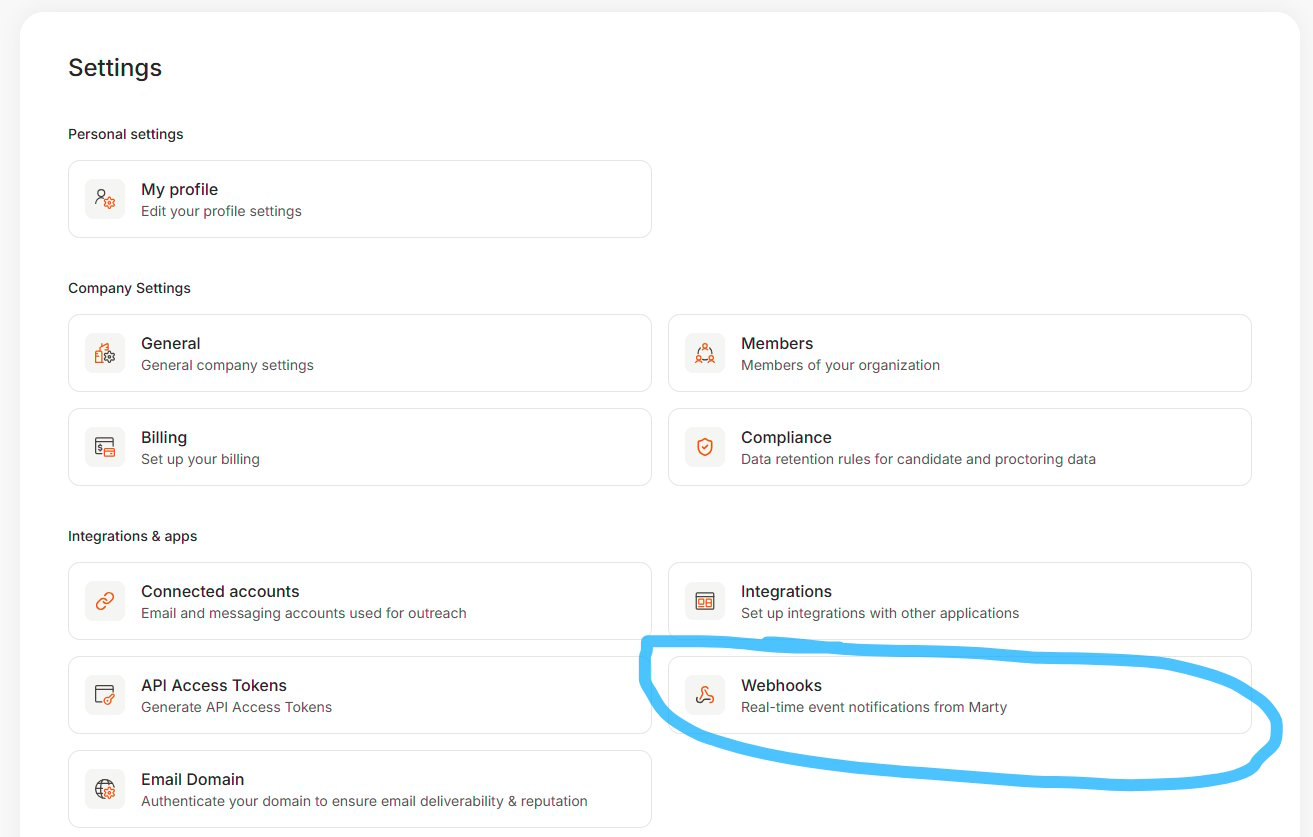
- Go to Settings → Webhooks.
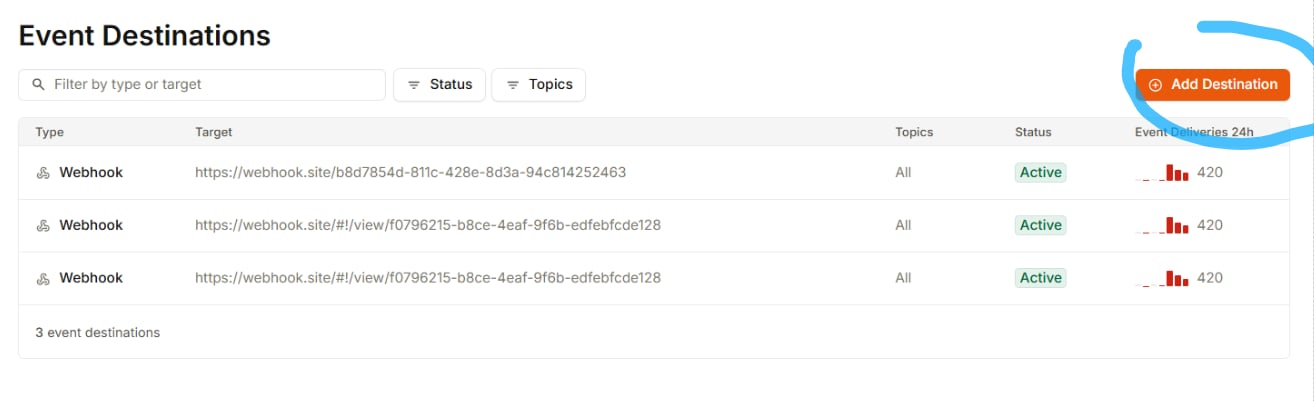
- Click Add Destination.
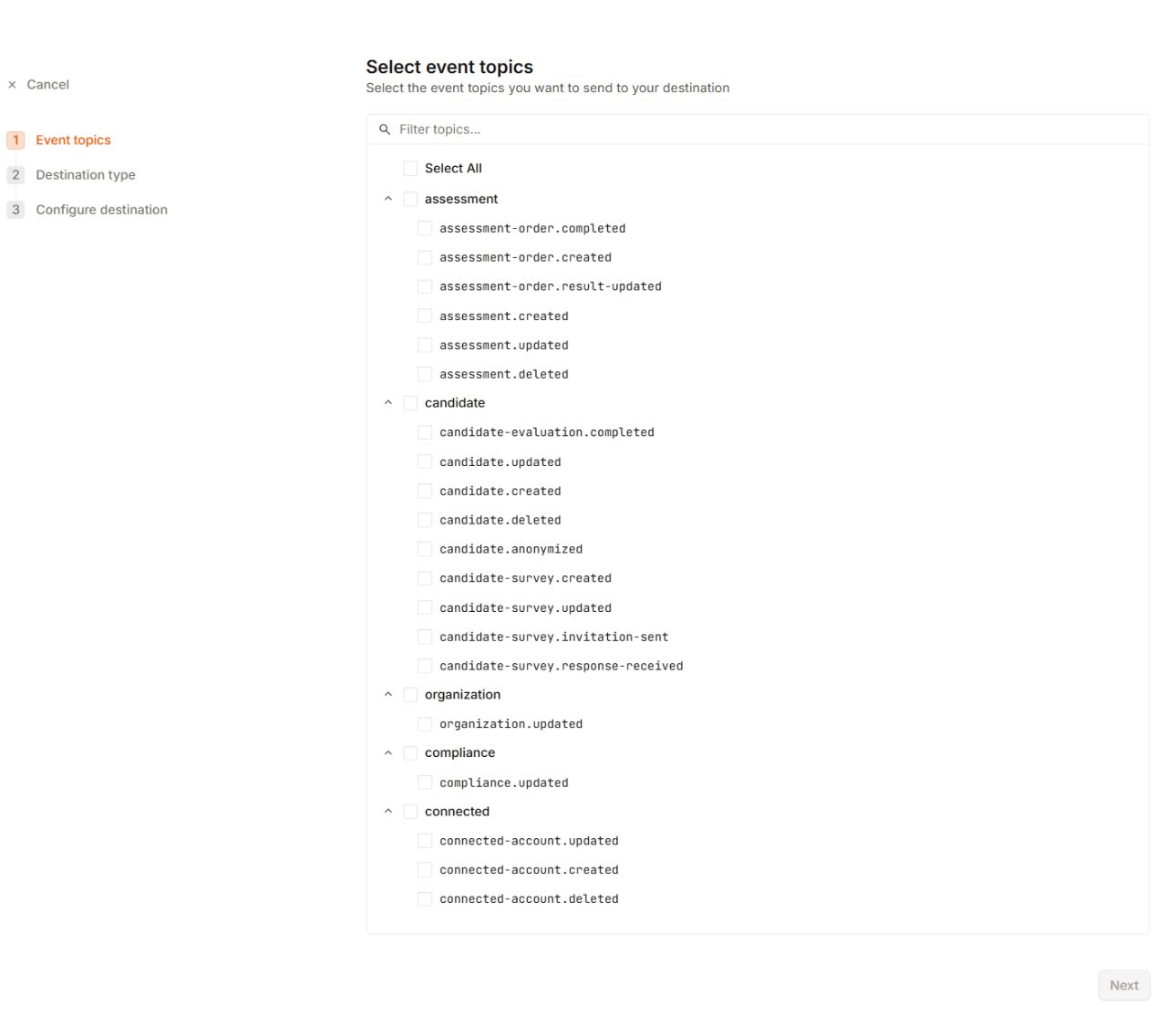
- Select the event topics you want to subscribe to.
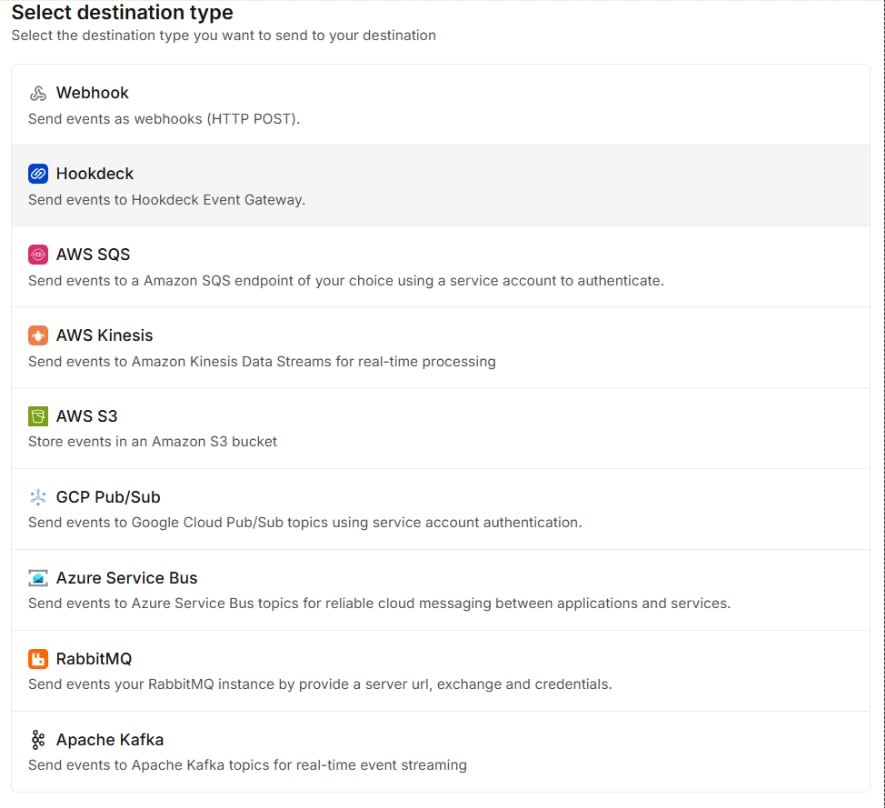
- Select the destination type where Marty should send the webhook events.
- Configure the destination details and save the webhook.
Destination overview and delivery logs
Each webhook destination in Marty includes a complete history of its event deliveries. From the destination page, you can review:- Overview — General information about the destination, including its configuration and delivery status.
- Settings — Destination configuration, such as the endpoint or destination-specific settings.
- Event Deliveries — A complete log of webhook events sent to that destination.